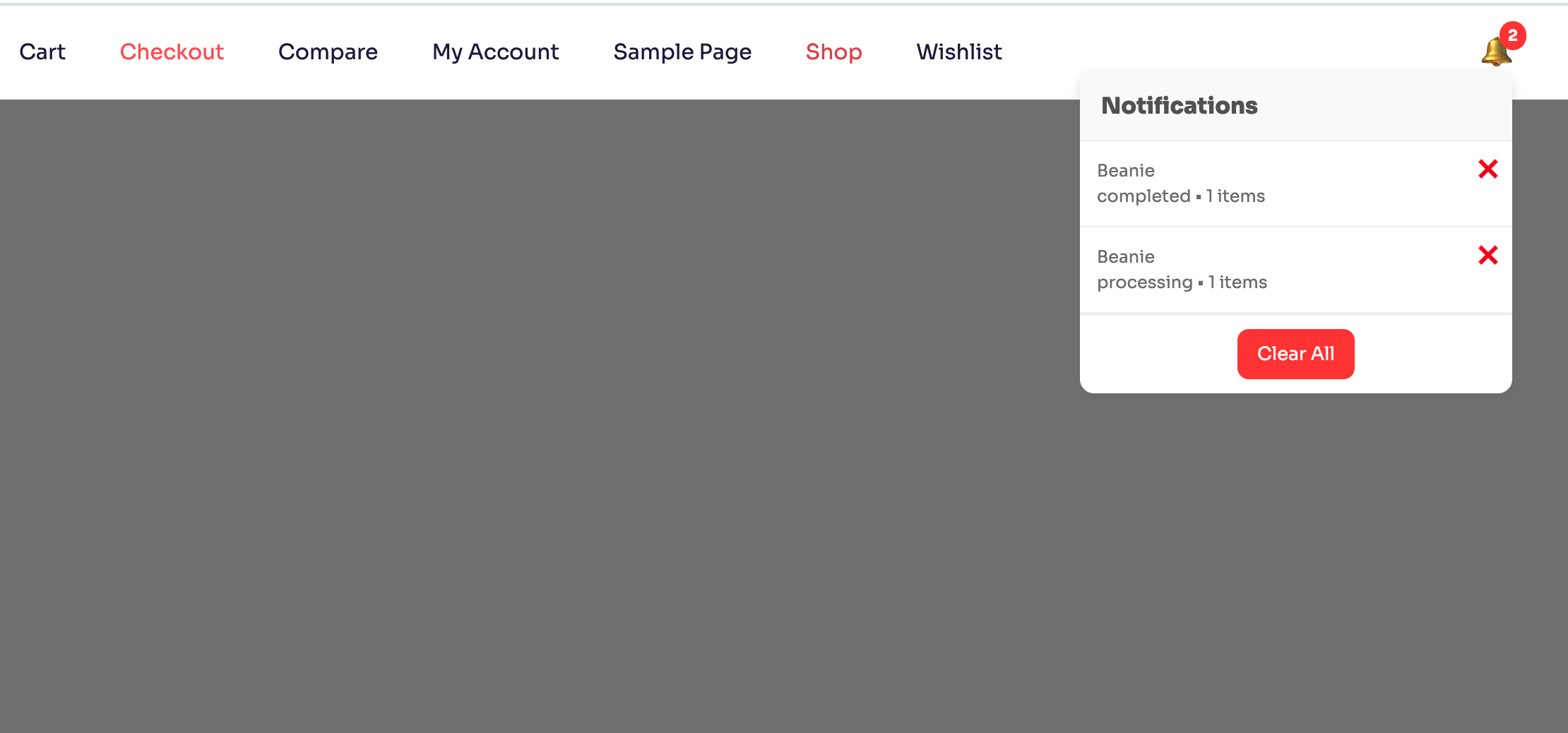
What is a WooCommerce Order Notification Plugin?
A WooCommerce order notification plugin is a tool that displays real-time purchase activity on your website. These notifications act as social proof, showing visitors that other customers are actively buying products.
This simple feature can significantly increase trust and encourage more users to complete their purchases.
Why You Need Order Notifications in WooCommerce
If you run an online store, trust is everything.
When visitors see that others are buying products, it creates urgency and confidence. This psychological effect is known as social proof, and it plays a huge role in improving conversions.
A well-built WooCommerce order notification plugin helps:
- Build trust instantly
- Increase conversions
- Reduce hesitation
- Improve user engagement
Key Features of a Good Notification Plugin
Not all plugins are equal. A high-quality WooCommerce order notification plugin should include:
- Real-time order updates
- Clean and modern UI
- Lightweight performance
- Easy integration
- Customizable display
Your plugin (Notoficator) focuses on simplicity and performance, making it ideal for modern WooCommerce stores.
Benefits of Using a WooCommerce Order Notification Plugin
1. Boosts Conversion Rates
Showing real purchases encourages users to take action faster.
2. Builds Instant Trust
New visitors trust your store when they see real activity.
3. Creates Urgency
Notifications trigger FOMO (Fear of Missing Out).
4. Improves Engagement
Users stay longer when they see dynamic content.
5. Lightweight Performance
A good plugin should not slow down your website.
How Notoficator Improves Store Conversions
Notoficator is designed as a lightweight WooCommerce order notification plugin that focuses on performance and simplicity.
Unlike bulky plugins, it:
- Loads fast
- Displays clean notifications
- Works seamlessly with WooCommerce
- Uses shortcode for easy setup
Try the plugin here: Notoficator
How to Install and Use the Plugin
Follow these simple steps:
- Go to your WordPress dashboard
- Navigate to Plugins → Add New
- Search for “Notoficator”
- Install and activate the plugin
- Add shortcode
[notoficator]to your page
That’s it! Your WooCommerce order notification plugin is now live.
Best Practices for Maximum Results
To get the best results from your WooCommerce order notification plugin:
- Place notifications on product pages
- Keep design minimal
- Avoid too many popups
- Use real order data for authenticity
- Test different positions and timing
Watch Plugin Demo
Internal Links
- View More About Plugin – Visit Page
Final Thoughts
A WooCommerce order notification plugin is one of the easiest ways to improve conversions without complex changes.
If you want a lightweight, simple, and effective solution, Notoficator is a great choice.
Start using it today and turn visitors into customers